Web App
Sign in
LG CreateBoard Lab is serviced by LG Business Cloud. To use it on the web, sign in to LG Business Cloud.
-
Go to https://lgbusinesscloud.com/ and select
Sign inin the top right corner.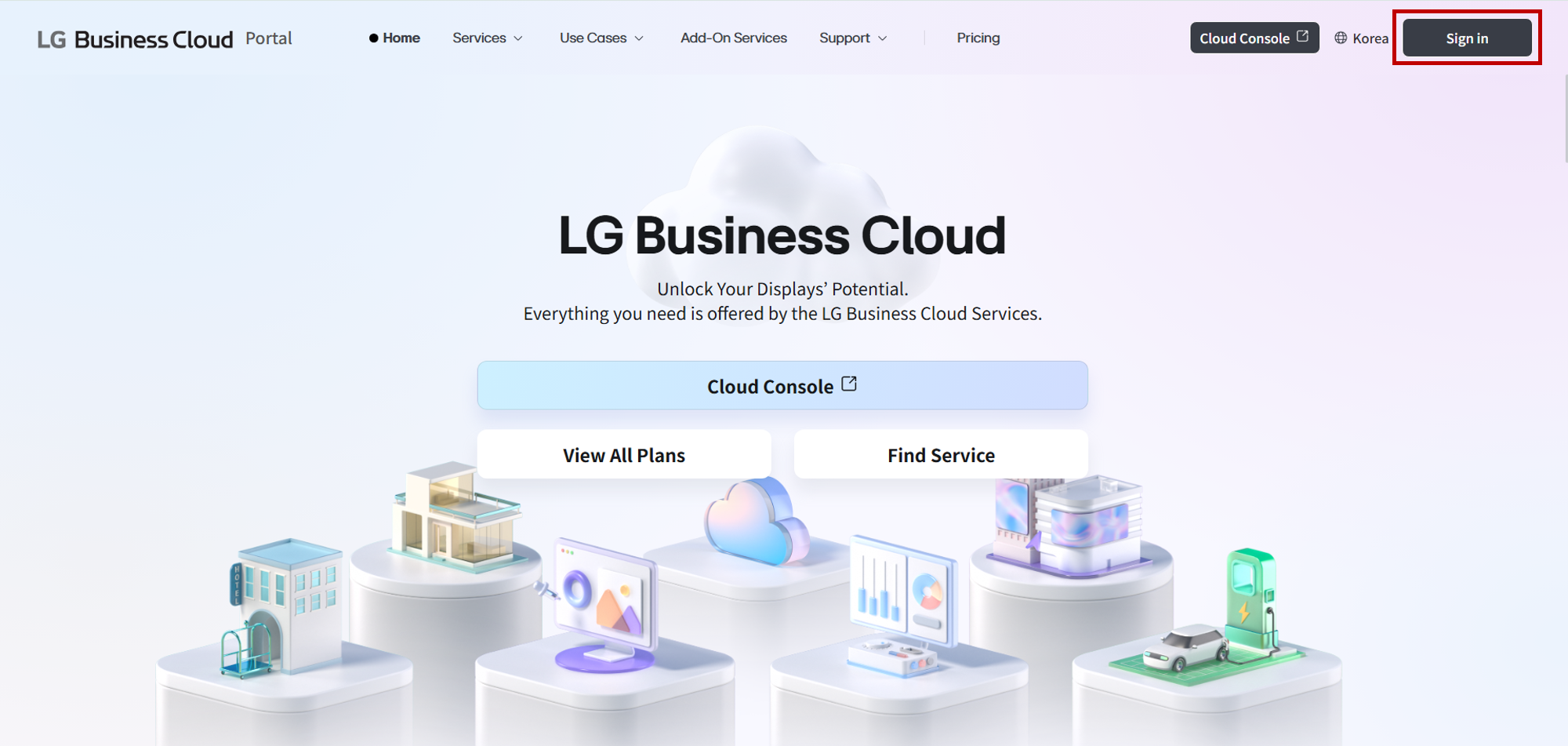
-
You can sign in with your LG Account or sign in with SSO. When signing in with LG Account, ensure that the region setting marked by the red box in the figure below is set to the region you’re signed up for.
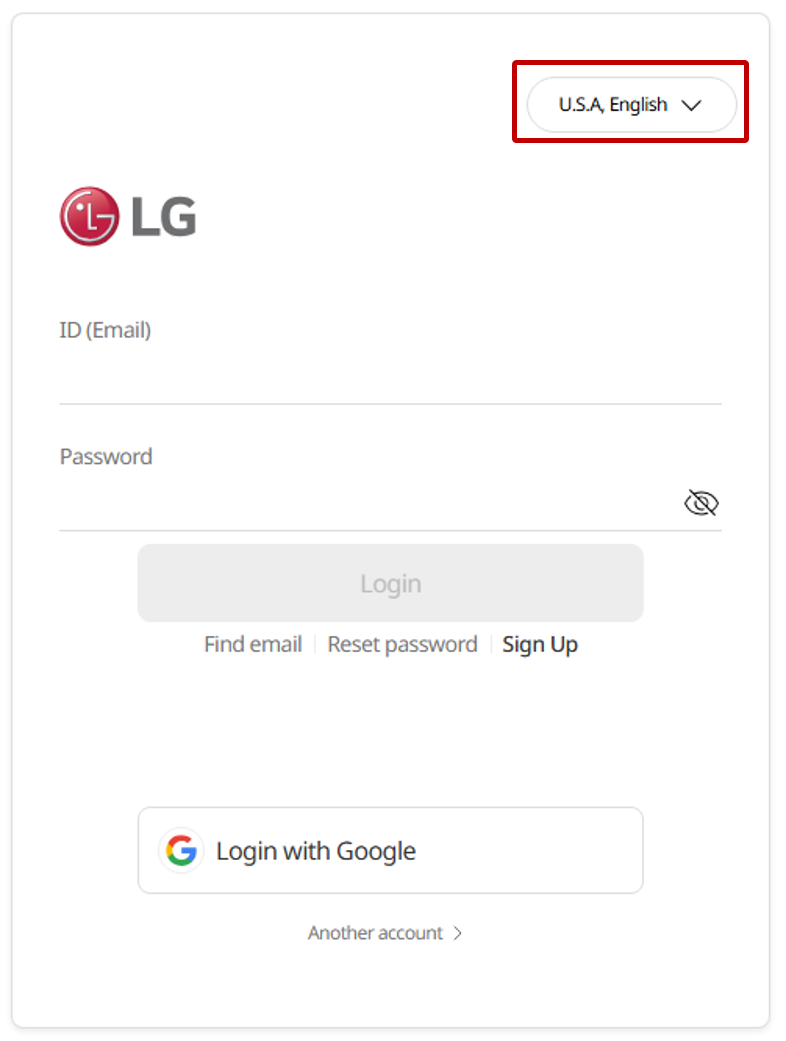
If you’re having trouble signing in, you can get help via Support > Contact Us | LG Business Cloud for assistance.
Open the app
Go to the https://createboard.lgbusinesscloud.com.
Start with a new board
When you successfully sign in, you’ll see the following home page. From the home, you can easily create a new board by selecting New Board button or one of the templates.
Now, go to the pages below to explore the app’s basic menu structure and learn more about how to use the board in detail.